Draw your building plans.
No draftsman. No subscription.

Easy Draft is a browser-based floor plan tool for homeowners and DIY builders. Sketch walls, doors, windows and rooms with a drag-and-drop interface — then export a permit-ready PDF you can hand to a contractor or building department.

  • One-time purchase
  • No download required
  • Permit-ready PDF export
Built by tradesmen and homeowners
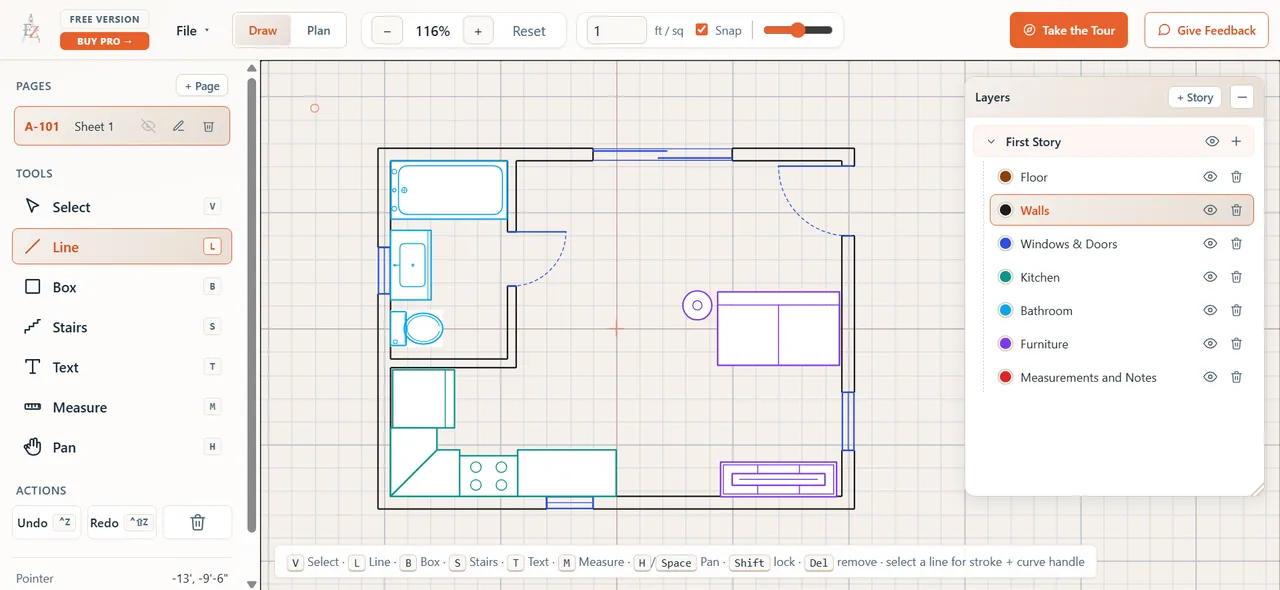
The Easy Draft floor plan editor showing a sample plan with walls, fixtures, dimensions, and a layers panel.

That's the real editor — click around. Pick a door to flip its swing, click a wall to change thickness, or use the toolbar to measure or draw.

The Easy Draft editor is built for a desktop or laptop — it isn't usable on a phone. Browse the site here, then open it on a computer to start drawing.

Used by homeowners planning:
The middle ground that didn't exist

You have a clear vision.
Getting it on paper is the hard part.

Hire a draftsman

Hundreds of dollars for preliminary plans — before a permit is pulled or a contractor is even called.

Buy pro CAD software

AutoCAD or Chief Architect: thousands per year and a learning curve measured in months.

Settle for free tools

Either too basic to be useful, or every feature you actually need is locked behind a monthly subscription.

There's no approachable, affordable middle ground for the person who just wants to draw their idea out and see if it works.

Easy Draft is that middle ground.

What's inside

Everything you need to plan a real addition.
Nothing you don't.

Drag-and-drop simple. Built around the few things a residential plan actually has to show.

Walls that snap, square, and cut themselves

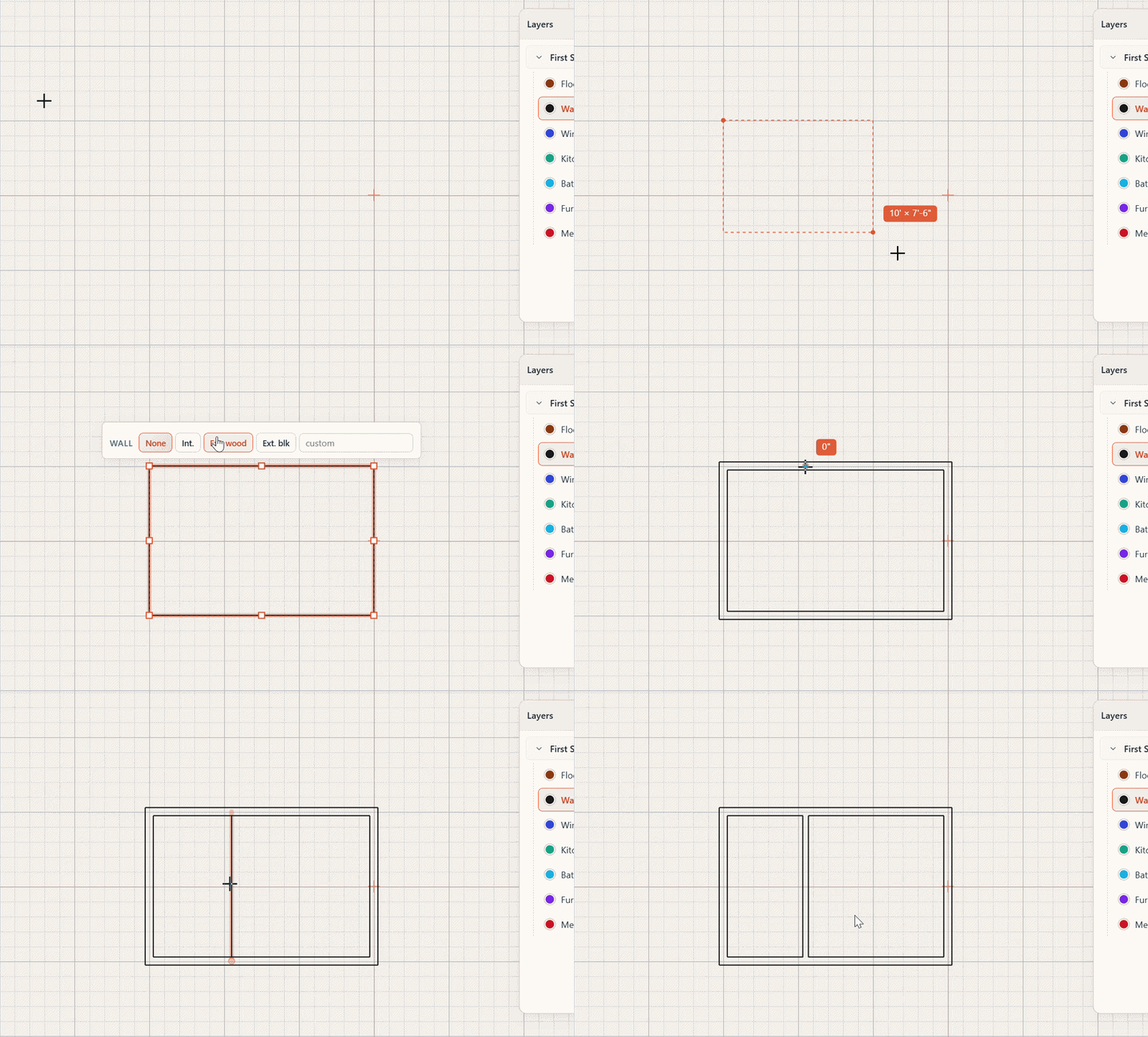
Draw a wall and it snaps to the grid. Drop a door or window and the wall cuts to fit — no manual trim, no broken geometry.

  • Snap-to-grid drawing
  • Auto wall openings
  • Interior & exterior walls
Demo of drawing walls that snap to the grid and auto-cut for openings

Real measurements

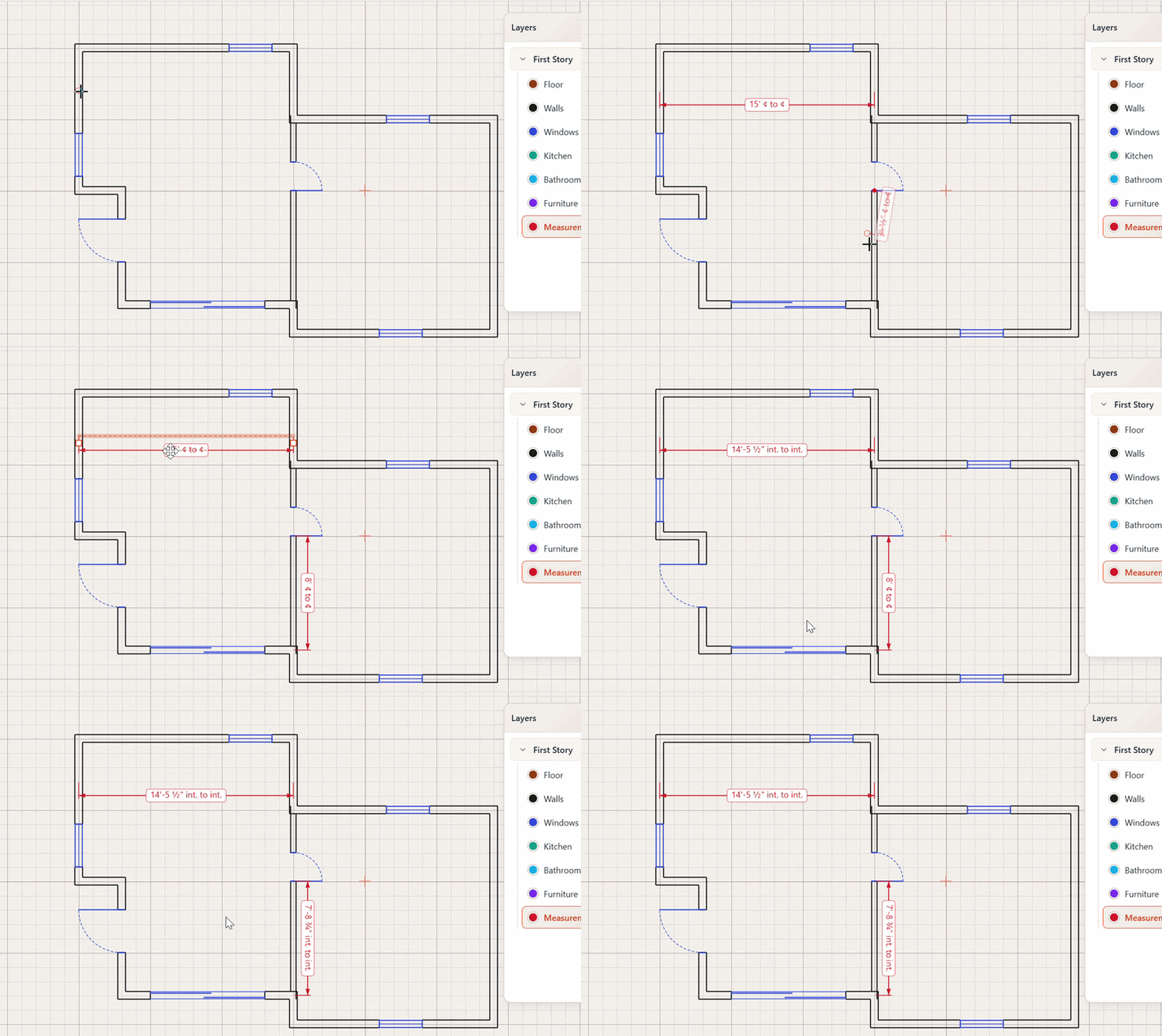
Interior, exterior, and centerline dimension options. Real-world feet and inches, not pixel guesses.

Demo of measuring with real-world feet and inches

Doors, windows & appliances

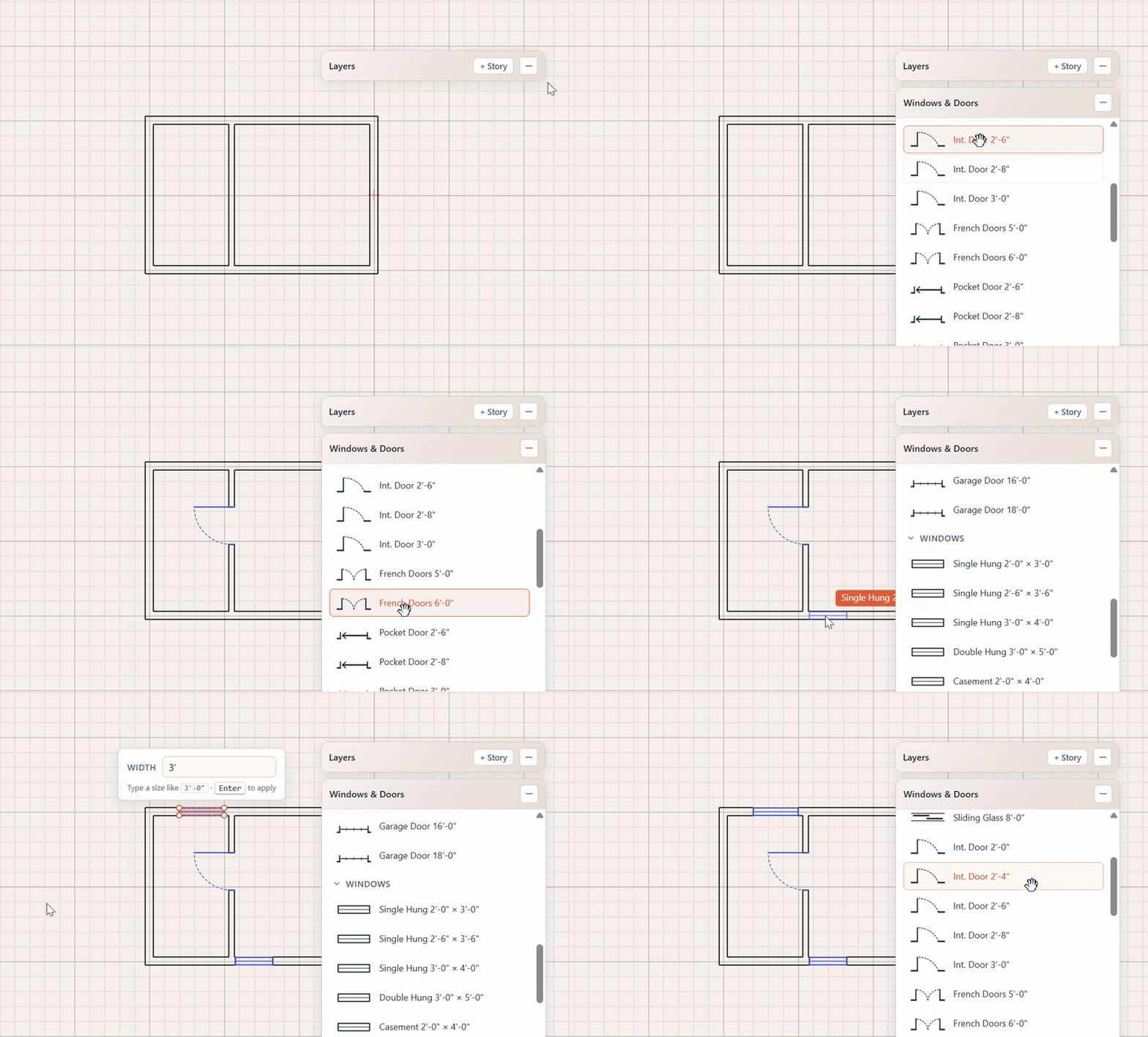
A library of residential elements ready to drop in — sinks, stoves, fridges, toilets, tubs, vanities, more.

Demo of dropping in doors, windows, and appliances

Stairs, counters & built-ins

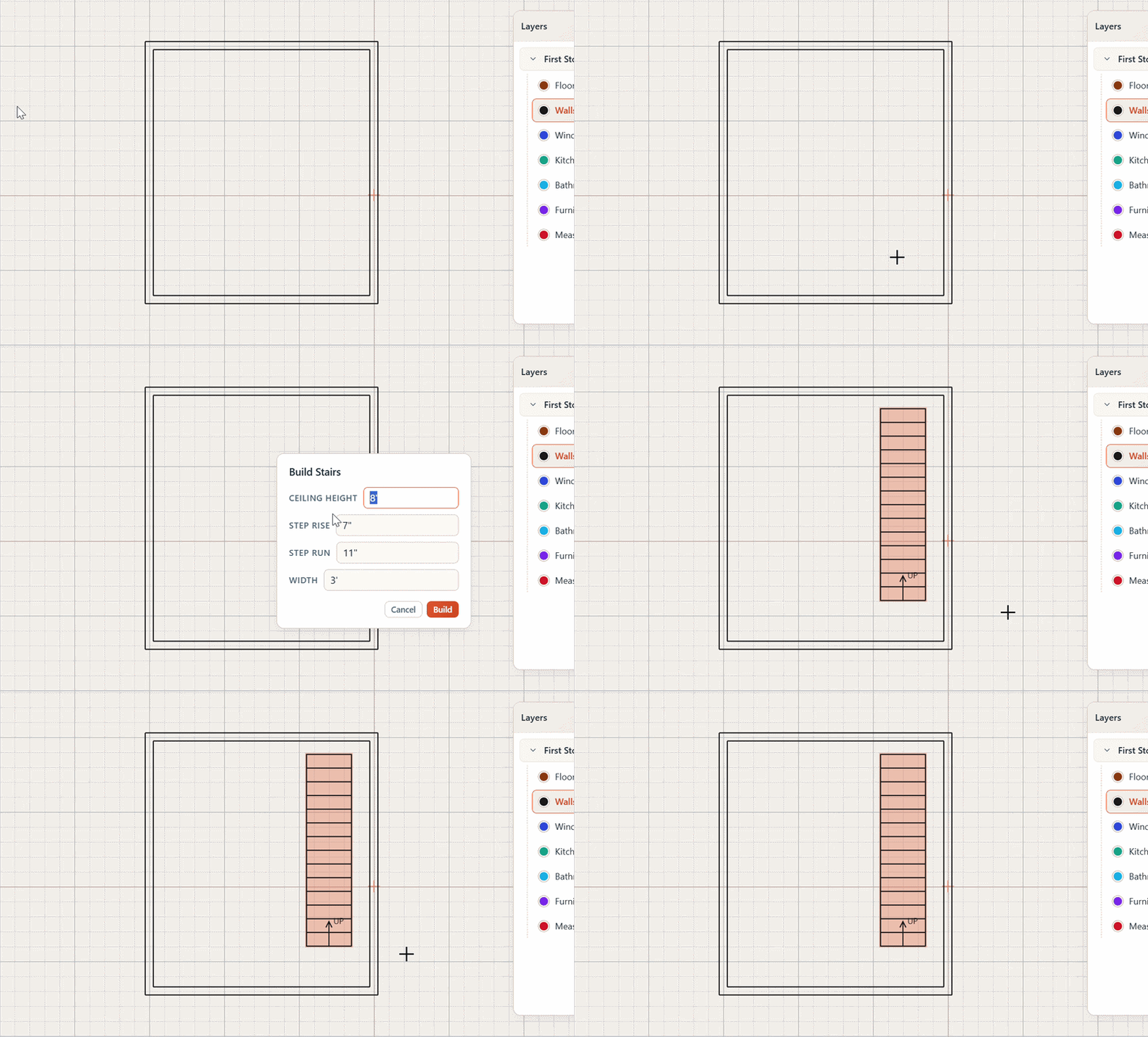
Place stairs with a click. Run countertops along walls. Sketch islands and built-ins without the pain.

Demo of placing stairs, counters, and built-ins

Room labels

Tag every room with a name and square footage. Plans that read clearly to a contractor or inspector.

Permit-ready PDF export

One click and you have a clean, scaled, properly dimensioned PDF — the kind you can hand directly to your contractor or your building department, not just a screenshot.

  • Scaled output
  • Title block included
  • Print at any size
How it works

From blank canvas to permit-ready in an afternoon.

01

Sketch your walls

Click and drag to lay out your floor plan. Walls snap square and to the grid automatically — no measuring on the fly.

02

Drop in the details

Doors, windows, appliances, stairs, counters. Drag them onto walls — Easy Draft cuts the openings for you.

03

Label, dimension, export

Add room labels and dimensions. Hit export. Hand the PDF to your contractor, your inspector, or the building department.

How Easy Draft compares

The honest middle option.

Most homeowners are stuck between four-figure software and free tools that can't actually print a usable plan.

Easy Draft Hire a draftsman Pro CAD (AutoCAD, Chief Architect) Free browser tools
Cost $39 one-time $300–$1,500+ $2,000+ / year Free → paid subscription
Time to first plan An afternoon Days to weeks Weeks of learning An afternoon
Permit-ready PDF export Yes Yes Yes Usually paywalled
Learning curve None n/a (you're hiring out) Steep Low
Subscription Never n/a Required For real features
Runs in browser Yes n/a No (install) Yes
Who it's for

Built for the person doing the planning.

Homeowners

Planning a garage, bedroom, bathroom, or ADU addition — and tired of guessing on graph paper.

DIY builders

Doing your own general contracting? Draw the plan yourself, then hand it to subs and inspectors with confidence.

Early planners

Brainstorming a layout? Validate it on screen before spending money on a draftsman or architect.

Budget-conscious renovators

You value planning. You won't pay subscription prices for a tool you'll use once or twice. This is your tool.

Pricing

Less than an hour of a draftsman's time.

One price. No subscription. No expiration. Optional add-ons only if you need them.

Most popular

Easy Draft

$39 one-time

  • Full floor plan editor
  • Walls, doors, windows, stairs
  • Appliance & fixture library
  • Interior, exterior & centerline dimensions
  • Room labels & square footage
  • Permit-ready PDF export
  • Free updates
Buy Easy Draft — $39

No subscription. No recurring fees. Yours forever.

MEP Symbols Pack

Mechanical, electrical, and plumbing symbols for more detailed plans — outlets, switches, fixtures, ducts, drains.

Coming soon

Elevation Views Pack

Generate front, side, and rear elevation views from your floor plan — useful for permitting and contractor walkthroughs.

Coming soon

Materials Estimator

Get a clear picture of the materials your project needs — framing, drywall, flooring, fixtures, and more — pulled straight from your plan.

Coming soon
Add-ons are optional. The base tool is fully usable on its own.
FAQ

Questions, answered.

Is this really a one-time purchase?

Yes. $39 once. No monthly fee, no annual fee, no expiration. You buy it, you own it, you keep using it. Future updates to the base tool are free.

Will my plans be accepted by my building department?

Easy Draft produces clean, scaled, dimensioned PDFs with a title block — the kind of preliminary residential plan most building departments are happy to receive. Some jurisdictions require a stamped engineered drawing for structural work; Easy Draft is the perfect starting point to take to that engineer instead of paying them to draw it from scratch.

Do I need to install anything?

No. Easy Draft runs entirely in your browser. Chrome, Edge, Safari, Firefox — they all work. Nothing to download, nothing to update.

Is there a learning curve?

No. If you can drag a file into a folder, you can use Easy Draft. The toolset is intentionally narrow — only the things a residential floor plan actually needs.

What about MEP symbols, elevation views, and material estimates?

Those are coming soon as optional one-time add-ons — an MEP Symbols Pack, an Elevation Views Pack, and a Materials Estimator. They're not required. Most homeowners doing a single addition will never need them. We keep them separate so the base tool stays clean and the cheap stays cheap.

Can I use this for commercial projects?

Easy Draft is purpose-built for residential — additions, renovations, and small new builds. Commercial planning has different code and drawing requirements that pro CAD software handles better.

What if I don't like it?

30-day refund, no questions asked. If Easy Draft isn't the right fit, email us and we'll send your money back.

Stop sketching on graph paper.

Plan your addition the right way — for less than the cost of a permit application.

Get Easy Draft — $39

One-time purchase · No subscription · 30-day refund